Framer AI Website Checklist Before You Publish
Configure Framer SEO titles and descriptions, check CMS page metadata, inspect the published sitemap, and use Search Console to troubleshoot indexing.
By Hardeep · · Updated
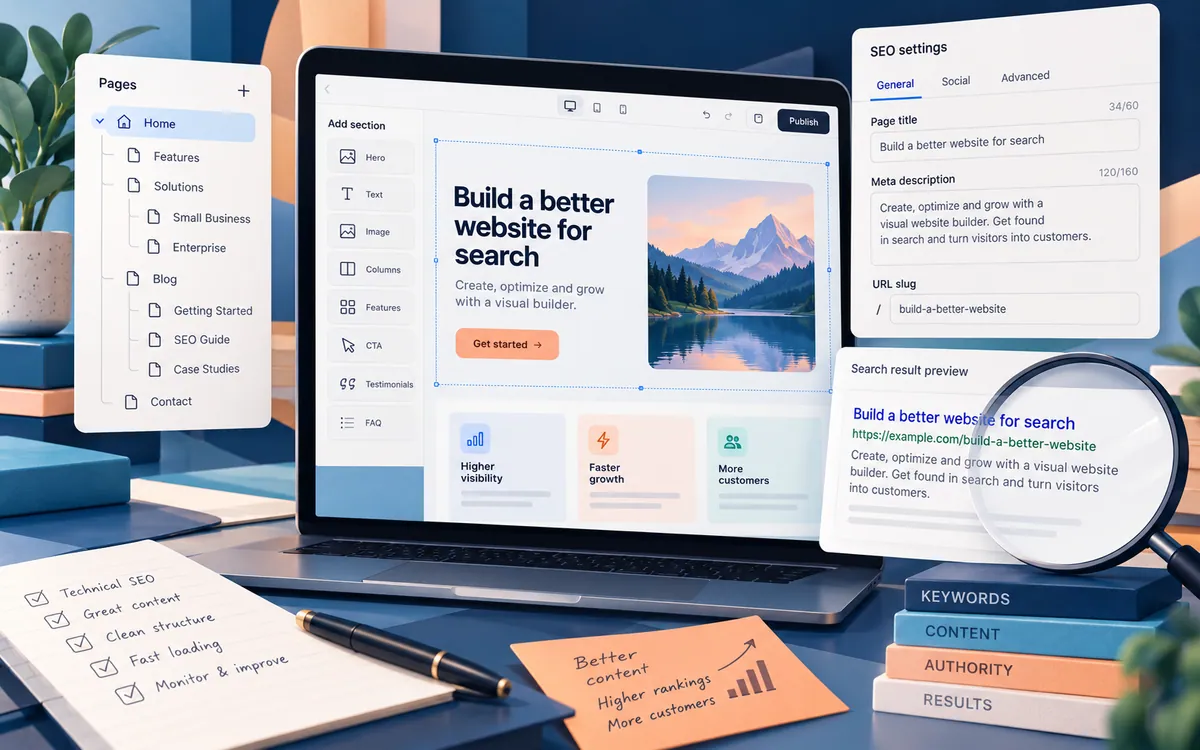
Framer SEO starts with pages that answer a clear question, then uses page settings and a crawlable published site to help search engines understand them. Check one real page from heading to search preview before applying settings across a CMS collection.
Set page titles and descriptions in Framer
In Site Settings, enter defaults that describe the site. Override them for individual pages in Page Settings. For CMS detail pages, use collection fields to give each entry a descriptive title and summary. Framer's metadata instructions explain these settings and social images.
| Field | Example | Check |
|---|---|---|
| Page title | Chair cane repair: process and estimates | Workshop | Describes this service rather than every service |
| Visible heading | Chair cane repair | Matches the work the business actually accepts |
| Description | See how chair cane repair works, which photos help with an estimate, and how to request a workshop assessment. | Promises information present on the page |
| CMS fields | Service name and short summary | No empty fields or duplicate default summaries |
Check the published URL and sitemap
Publish to the intended domain, open a service page directly, and inspect its heading, links, title, and description. Confirm that its indexing setting permits search engines. Open /sitemap.xml on the published domain and check that the desired page appears. Inspect /robots.txt for unintended crawl restrictions. A sitemap helps discovery but does not establish indexing.
Follow Framer's Search Console connection guide to verify ownership and submit the sitemap. Use URL Inspection to examine the published page's crawl and indexing status. Fix the reported cause if indexing fails; repeatedly submitting the same unchanged page is not a diagnosis.
Give each service page something useful to answer
Describe accepted repairs, required photographs, service area, and the estimate process. Add your own completed-work photographs when you have permission. Write image alternatives that explain the relevant damage or repair, then check that the images load without pushing the contact button around. These details give visitors a reason to choose the page even before search traffic arrives.
What the current AI offering does
Framer's current AI page presents an AI canvas agent for creating and editing designs. Treat older tutorials that describe a particular generator, fixed interface, or permanent list of plans as version-specific. The fact that a tool can produce a layout does not establish that the resulting copy is accurate or that an integration works.
Start by describing the job your website must do. A brochure page needs a clear explanation and a dependable contact route. A publication needs article structure, meaningful categories, and a way to maintain sources. A transaction-heavy application has additional requirements for authorization, data integrity, and failure recovery. Evaluate those requirements directly instead of assuming that a convincing preview proves backend readiness.
Write a brief before asking for a page
For an example, imagine a fictional workshop that repairs office chairs. Its page should explain the service area, accepted repairs, quotation process, and how to request an assessment. It should not invent customer counts, awards, or testimonials. The fictional business makes the exercise safe to repeat without borrowing another company's identity.
A useful prompt might be: create a simple service-page draft with an explanation of repair types, the steps for requesting a quote, and a contact section. Leave factual business details as clearly marked placeholders. Do not invent reviews, certifications, prices, guarantees, or customer logos. Use short headings and readable paragraphs.
The prompt reduces obvious mistakes, but it is not a verification mechanism. Read the output line by line. Ask whether every sentence comes from a fact you supplied, an external source you checked, or an unsupported guess. Remove the guesses before publishing, even when they sound persuasive.
Turn the draft into useful content
Replace generic statements such as excellent service with information a customer can use. Which chair problems can the workshop assess? What photographs should a customer send? Is an inspection required before a quote? Only include answers the actual operator confirms. A short accurate answer is better than a long section assembled to fill space.
For an article site, the equivalent work is adding explanations, examples, and evidence that resolve a reader's question. A repeated introduction followed by a feature list is not made useful by changing the brand name. Give each page a distinct purpose and remove sections that do not contribute to it.
Keep a record of factual sources and image rights outside the design canvas. That record should survive a redesign. If a claim changes, the editor needs to know where it came from and which pages repeat it. An attractive layout cannot substitute for this maintenance process.
Choose a page and CMS structure you can maintain
Before creating many pages, sketch the smallest useful navigation. For the workshop, that might be services, the quotation process, about, and contact. For a publication, separate articles from legal and publisher information. Do not create empty categories merely to make a menu look substantial.
Use structured content where the same fields recur, such as a title, summary, body, author, and image description. Avoid placing a whole article into one image or scattering key text across decorative elements. An editor should be able to correct a paragraph without reconstructing the page.
Test a long title, a missing optional image, and a short summary before entering the full library. A template that only looks good with one hand-picked sample will produce avoidable layout problems later. Decide how empty fields behave instead of leaving visible blanks and broken image boxes.
Check the page with a visitor's task
Do not review only the hero section. Follow the complete path from arrival to the intended action. In the workshop example, find a relevant repair, understand what information is needed, open the contact route, and check the confirmation. If a form appears to succeed, verify that the intended recipient can actually access the submission.
| Area | Test | Release condition |
|---|---|---|
| Content | Trace every business claim | Confirmed fact or removed |
| Navigation | Open every menu and footer link | Useful destination, no placeholder |
| Contact | Submit an authorized test message | Delivery and confirmation checked |
| Small screens | Read and act without sideways page scrolling | Controls and text remain usable |
| Images | Review source and permission records | Documented rights or omit asset |
Check keyboard navigation separately from pointer clicks. Can you identify the focused control? Do links say where they lead? Can a visitor understand the page without an animation? Do not make essential information depend on hovering over an element, because that interaction does not translate well to every device.
Metadata supports content; it does not replace it
Framer documents default and page-specific titles, descriptions, and social images in its page metadata guide. Use a title that describes the page rather than stacking near-identical search phrases. A summary should explain what the visitor will find, without promising results the page cannot deliver.
The platform also documents automatically generated sitemaps. Inspect the published sitemap after building the site. It should not be treated as proof that every URL is useful or that a search engine has indexed it. Open representative destinations and check their content and canonical behavior.
Framer's SEO features guide explains additional controls. Use those controls to describe genuine content accurately. Avoid treating structured data, an automated sitemap, or generated copy as a shortcut to ranking or advertising approval.
Review cost and ownership before committing
Do not rely on a copied pricing table from an old article. Check the current offer and the limits relevant to your project: publishing, custom domains, editors, CMS capacity, localization, and any usage-based features. Record the plan and date in your own evaluation notes. This guide intentionally does not quote prices or claim a specific feature is included forever.
Also ask how you will maintain the site if a contractor leaves. Who controls the account and domain? Who can publish changes? How can content be preserved independently of the design? Test the available handoff and recovery process before a deadline makes a migration difficult.
A modest trial can answer more than a broad feature comparison. Build one representative page and one awkward content case, then complete the visitor task on both desktop and phone. Record what required manual correction. Those observations are useful evidence for your project; another site's success story may involve different requirements.
Advertising and analytics are separate release decisions
A published website is not automatically ready to collect analytics data or serve personalized advertising. Decide which services you actually need, document their behavior, and configure the applicable consent mechanisms. Google describes its certified consent-platform requirements for relevant regions in the AdSense consent guidance.
Do not paste an advertising snippet into a page and assume that a privacy paragraph handles all choices. Acceptance, refusal, and reopening preferences need functional testing with the configured services. Advertising approval remains Google's decision and cannot be guaranteed by Framer, a prompt, or this workflow.
A sensible stopping point
The first release is ready for review when the main task works, the copy is supported, the links are useful, and the operator knows how to maintain it. Keep a short list of optional visual improvements separate from problems that prevent understanding or action. This keeps a redesign from masking an unfinished contact process or unsupported business claims.
For an information site, use the same standard when adding the next article: answer a specific question and show the basis for important claims. The site's editorial standards describe that expectation. AI assistance can shorten parts of drafting, but a responsible publisher still owns the final page.
A contact-path acceptance record
For the fictional workshop, record the page URL, device, submitted fields, confirmation text, and where the message arrived. Mark delivery separately from the screen confirmation. A form can display a success message while its destination is misconfigured. Use a clearly identified test message and the operator's permission when testing a real business.
Related reading
Send a correction with this article’s link and a supporting source.