OpenArt Director: Product Video Continuity Checklist
Plan an OpenArt Director video with references, a storyboard, and shot-level revision notes. Track continuity and the cost of accepted footage.
By Hardeep · · Updated
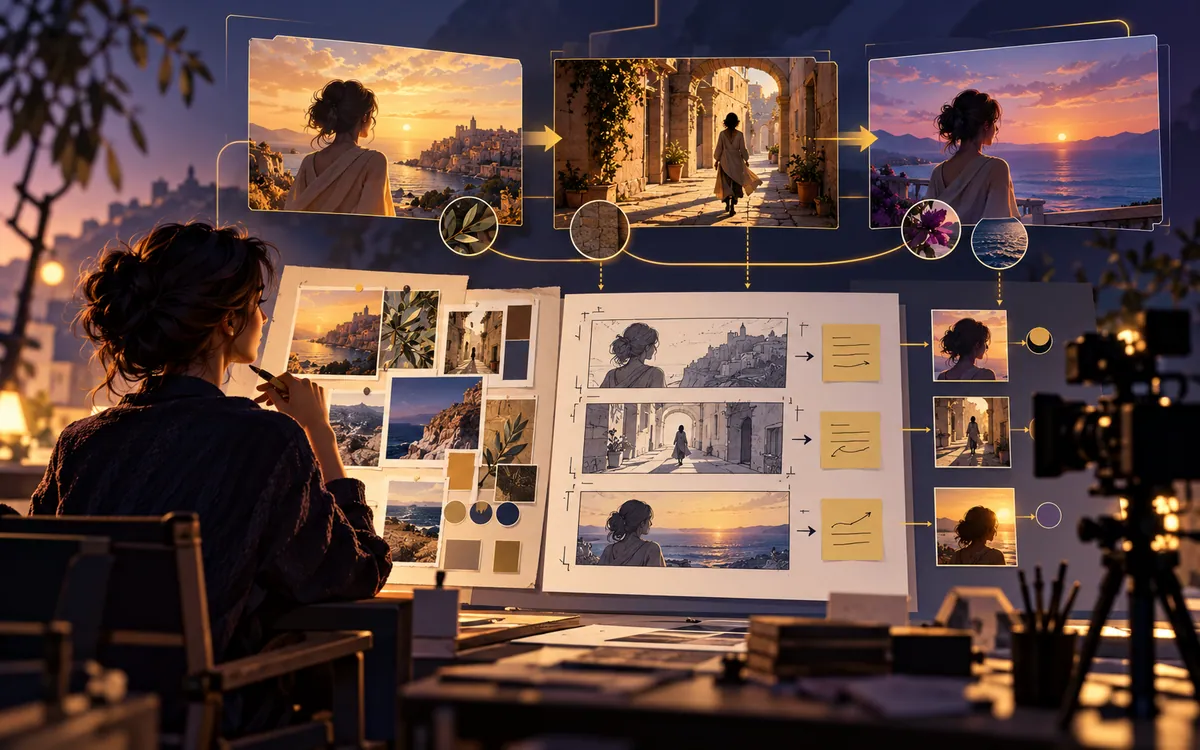
OpenArt Director brings video planning and revisions into a conversational workspace. For a product video, the useful test is whether the bottle, label, cap, and actor remain recognizable across the cuts you intend to publish.
What is OpenArt Director?
OpenArt Director is an AI-assisted video workspace for building multi-scene videos from a written idea, script, image, audio track, or reference video. OpenArt calls the conversational process “vibe directing”: the user describes the intended story and gives editing notes in ordinary language while the system handles much of the generation and assembly.
According to OpenArt’s Director page, the product can create videos up to five minutes long and is designed to keep characters, products, environments, voices, and brand elements consistent. The page currently identifies Seedance 2.0, GPT Image 2, and other models as parts of the system. These are vendor claims and capabilities can change, so confirm current limits and pricing before starting a large project.
Make the storyboard answer the brief
Each scene needs a purpose you can name: show a problem, explain one operation, or support a specific claim. Approve that outline before paying to render every shot. A continuity sheet then makes revisions easier to specify and review.
A reliable workflow for creating an AI video
1. Write a one-page creative brief
Begin with the decision the viewer should make after watching. “Create a cinematic product video” is too vague. A stronger brief says who the viewer is, what problem the product solves, what evidence appears on screen, and what action closes the video.
Use this compact template:
Audience: [specific viewer]
Goal: [one action or takeaway]
Format: [9:16, 16:9, or 1:1]
Length: [target duration]
Tone: [three concrete adjectives]
Visual rules: [palette, lighting, camera style]
Continuity anchors: [character, wardrobe, product, location]
Required scenes: [opening, proof, demonstration, close]
Voice: [speaker, pace, language]
Call to action: [exact final message]
Avoid: [claims, imagery, or styles that must not appear]
Writing the brief exposes choices that would otherwise become revision requests. If the brief cannot explain the video clearly, more generation credits will not fix the underlying idea.
2. Collect references you have permission to use
Add your own product photographs, logo, colors, approved fonts, character images, or mood references. Label each asset by purpose. For example, one image may define the product shape, another the lighting, and a third the camera composition. Do not upload a celebrity, copyrighted character, competitor advertisement, or customer image simply because it is easy to find online.
A reference should guide the work, not become a shortcut around ownership. OpenArt says finished films may be used commercially, but it also advises users to perform intellectual-property checks when outside references are involved. Your rights to an output can depend on the rights attached to its inputs.
3. Approve the storyboard before rendering everything
Ask for a scene-by-scene outline first. Each scene should have one job: introduce the problem, demonstrate the product, establish proof, explain a step, or deliver the call to action. If two adjacent scenes communicate the same point, combine them. If the ending introduces new information, move it earlier.
| Scene | Purpose | Continuity check |
|---|---|---|
| 1. Hook | Show the viewer’s problem quickly | Correct audience, setting, and format |
| 2. Context | Explain why the problem matters | Same character and environment |
| 3. Introduction | Reveal the product or method | Accurate product shape and label |
| 4. Demonstration | Show one believable use | Hands, scale, and motion remain plausible |
| 5. Result | Make the benefit visible | No unsupported performance claim |
| 6. Close | Give one clear next action | Logo, spelling, and URL are correct |
4. Lock the continuity anchors
Write down the details that must never drift. For a person, this includes face, hair, age range, wardrobe, accessories, and voice. For a product, it includes proportions, material, color, label placement, and how it opens or moves. For a location, it includes layout, time of day, light direction, and recurring objects.
Then make revision requests that protect those anchors. A useful note sounds like this:
Shorten scene three by two seconds and move the product reveal earlier. Keep the same actor, blue jacket, kitchen layout, warm morning light, bottle proportions, label design, voice, and music. Do not alter any other scene.
The final sentence matters. Broad instructions such as “make it better” invite broad changes. A bounded note explains what to change and what to preserve.
5. Review a rough cut like an editor
Watch once without pausing and ask whether the story makes sense. Watch again without sound to inspect visual continuity. Listen without looking to judge narration, pacing, and music. Finally, pause at every cut and inspect faces, fingers, product labels, on-screen text, shadows, and object positions.
Keep a short issue list with timestamps. “The product is wrong” is difficult to act on. “At 00:18, the cap changes from black to silver; match the black cap used in scenes two and four” gives the system a precise correction.
6. Treat voice and dubbing as separate quality checks
Dubbing can extend reach, but a generated translation still needs a fluent human reviewer. Names, prices, measurements, jokes, and calls to action are common failure points. Check pronunciation and meaning, then confirm that captions match the approved narration.
7. Export platform-specific versions
Do not crop one master file blindly for every channel. A wide video may hide the product when converted to vertical, while a vertical close-up may feel cramped on a desktop. Review each aspect ratio, keep important text inside safe areas, and check the opening frame because social platforms may use it as the preview.
Where this workflow can provide real value
| Use case | Useful input | Human review that still matters |
|---|---|---|
| Product demonstration | Original product photos and approved claims | Shape, scale, label, safety, and factual accuracy |
| Social advertisement | Audience, offer, hook, and brand kit | Disclosure, claim support, and platform policy |
| Explainer video | Fact-checked script and diagrams | Technical accuracy and accessibility |
| Short story or trailer | Character sheets and scene outline | Narrative logic, pacing, and originality |
| Localized campaign | Approved master script and glossary | Translation, pronunciation, and cultural context |
What OpenArt Director does not remove
A conversational interface makes revision easier, but it does not remove creative judgment. Generated scenes can still contain continuity errors, unreadable text, implausible motion, or generic ideas. Longer projects can consume significant generation time or credits, especially when a team renders before agreeing on the storyboard.
The tool also cannot verify every marketing claim or grant rights to material you do not own. A person must check facts, permissions, music licensing, brand rules, disclosures, and the final export. Sensitive subjects, real people, health claims, financial claims, and news-like material require a higher standard of review.
A pre-publish quality checklist
- Story: Can a new viewer explain the message after one watch?
- Continuity: Do characters, products, locations, lighting, and voices remain stable?
- Accuracy: Are all names, numbers, labels, URLs, and claims correct?
- Rights: Do you own or license every uploaded image, logo, voice, track, and reference?
- Disclosure: Is synthetic or sponsored content labelled where required?
- Accessibility: Are captions accurate, readable, and timed correctly?
- Platform fit: Does each export use the intended aspect ratio and safe area?
- Brand fit: Would a customer recognize the tone and visual identity without seeing the logo?
Frequently asked questions
Is OpenArt Director the same as a normal text-to-video generator?
No. A normal generator often returns one short clip from one prompt. Director is designed around a broader project with a storyboard, multiple scenes, saved references, conversational revisions, audio, and export. Individual generation models still power the shots, but the project layer helps organize them into one sequence.
Can it keep a person or product perfectly consistent?
OpenArt markets consistency as a core feature, but no generative workflow should be treated as perfect. Strong reference assets, a written continuity sheet, bounded revision notes, and frame-by-frame human review remain necessary for client or commercial work.
Do I need traditional video-editing experience?
You do not need to begin with a complex timeline, but filmmaking basics still improve the result. Understanding audience, shot purpose, pacing, continuity, sound, and rights is more valuable than memorizing elaborate prompt formulas.
Can I publish AI-generated videos commercially?
OpenArt states that finished films may be used commercially, subject to its terms. That does not automatically clear outside trademarks, copyrighted characters, music, faces, or uploaded reference material. Check the current terms and your inputs before publishing.
What should I test before paying for a large project?
Create a short proof of concept using one character, one location, and one product. Measure how many revisions are needed to preserve continuity, whether the voice and text are usable, and how much the final approved minute costs. A small test reveals more than a feature list.
What to do next
Start with three connected shots and inspect every cut. If the product remains recognizable, the revisions stay within scope, and the cost is workable, expand the sequence. Save the rejected versions and their costs so the next project has a realistic budget.
Source and scope
Product descriptions come from the OpenArt Director feature page, reviewed September 28, 2026. This workflow is an editorial planning example; it is not a report of independent product testing.
Product continuity log: an example row
For a fictional bottle advertisement, write: "Shot 03, version 2: cap is silver; approved reference has a black cap. Request a cap correction while preserving the label and actor. Recheck the first frame, last frame, and cut into shot 04." The example is a review note, not a result from using Director.
Keep a credit total for rejected versions too. Cost per approved second is total generation and editing spend divided by approved duration; a beautiful discarded clip still belongs in the numerator.
Related reading
Send a correction with this article’s link and a supporting source.